Cross-Client Email Testing: Why It Matters and How to Do It Right
You spend hours crafting an email campaign. The copy is sharp, the design looks polished in your editor, and the call-to-action is exactly where it needs to be. Then the campaign goes out, and a significant portion of your audience sees a broken layout, missing images, or garbled text. This is not a hypothetical scenario. It happens to marketing teams every day, across industries, regardless of budget or experience.
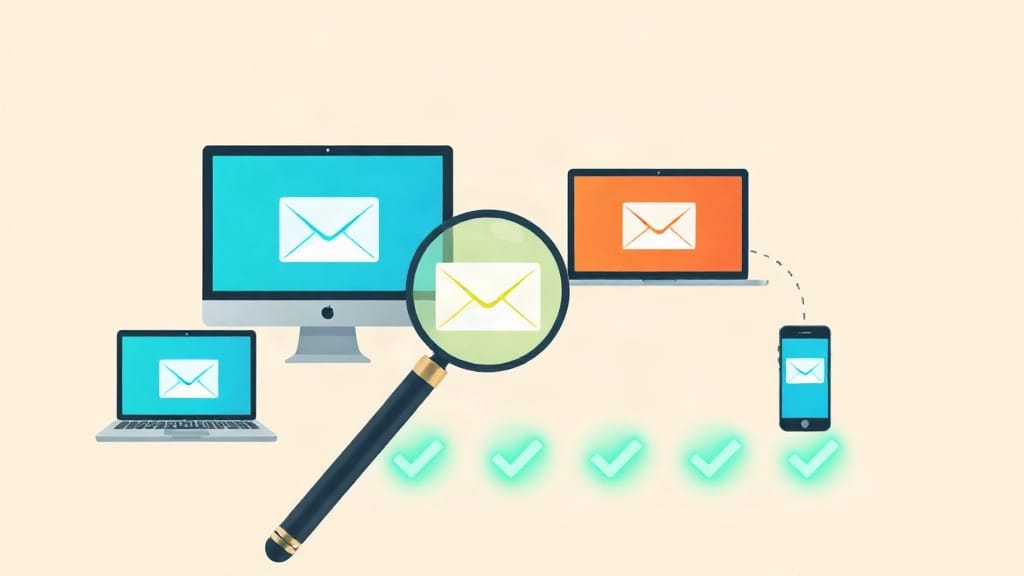
Cross-client email testing is the practice of previewing and validating how an email renders across different email clients, devices, and operating systems before sending it to your list. It is, quite simply, one of the most practical steps any email marketer can take to protect campaign performance.
This article walks through what cross-client email testing involves, why rendering inconsistencies occur, which environments you should prioritize in your testing, and how to build a repeatable process that saves time without cutting corners.
Why Emails Render Differently Across Clients
Unlike the web, where modern browsers follow reasonably consistent standards, email clients do not agree on how to interpret HTML and CSS. Each client has its own rendering engine, and those engines range from relatively modern to surprisingly outdated.
Microsoft Outlook, for instance, uses Microsoft Word's rendering engine for certain versions. That decision, made years ago for reasons unrelated to email design, means Outlook interprets CSS very differently from Gmail or Apple Mail. Animations that work beautifully in Apple Mail will not function at all in Outlook 2016. Flexbox layouts that render cleanly in a modern browser may collapse entirely in a legacy client.
Then there are the device variables. An email that looks perfect on a 27-inch desktop monitor may have text so small it is unreadable on a standard smartphone screen. Dark mode, which has seen wide adoption across Apple, Android, and Windows platforms, can invert colors in ways that make light-colored text disappear or make your brand's logo look unrecognizable.
Operating system font rendering adds another layer. Fonts displayed on macOS look subtly different from the same fonts on Windows because each OS applies its own anti-aliasing. These differences are subtle but they affect legibility and visual polish.
The Business Case for Cross-Client Email Testing
Some marketing teams treat testing as optional, something done when time permits. That view is difficult to justify when you consider the actual stakes.
Email marketing consistently delivers one of the highest returns on investment of any digital channel, with estimates from the Data & Marketing Association suggesting returns in the range of $36 for every $1 spent. A broken email erodes that return directly. Subscribers who open a malformed message are far less likely to click through, and they may unsubscribe or mark the message as spam, which damages your sender reputation over time.
Sender reputation matters enormously for inbox placement. When recipients consistently ignore or flag your emails, inbox providers take notice. The result is that future campaigns are more likely to be filtered into spam or promotions folders, reducing deliverability before a single word of content is even seen.
For small and medium-sized businesses, where each campaign represents a meaningful investment of time and budget, a broken email is not just a minor inconvenience. It can mean lost revenue from a product launch, a missed window during a seasonal promotion, or a damaged relationship with a customer segment you worked hard to build.
Which Email Clients Should You Test?
Not every email client deserves equal attention. Your testing priorities should reflect your actual subscriber base, but there are certain clients that are simply too widely used to ignore.
Desktop Clients
- Microsoft Outlook (2016, 2019, and Microsoft 365) - These remain common in corporate environments, particularly in industries like finance, legal, and healthcare. Outlook's rendering quirks are well-documented and require specific CSS workarounds that are different from what you would write for any other client.
- Apple Mail on macOS - Generally renders email well and supports modern CSS, but dark mode behavior and font rendering differences are worth checking.
- Thunderbird - Less common than Outlook or Apple Mail but still present in certain professional environments, particularly in Europe and among tech-oriented users.
Webmail Clients
- Gmail - The most widely used email service globally. Gmail strips certain CSS and blocks external stylesheets, which affects how emails render. The Gmail app on Android and iOS can behave differently from Gmail in a desktop browser.
- Outlook.com and Hotmail - Microsoft's web client uses a different rendering engine than the desktop Outlook applications. Testing both separately is necessary.
- Yahoo Mail and AOL Mail - Still relevant for certain demographics, particularly older audiences and consumers in specific markets.
Mobile Clients
- Apple Mail on iOS - Supports a broad set of CSS features and is widely used. This client also introduced the Mail Privacy Protection feature, which prefetches email content and can affect open rate tracking.
- Gmail on Android - Behavior may differ from Gmail on iOS depending on the Android version and manufacturer skin.
- Samsung Email - Often overlooked, but it has a significant user base among Android device owners worldwide and has its own rendering quirks.
The appropriate depth of your testing will depend on your analytics data. If you have access to email client reports from past campaigns, use that data to rank your testing priorities by actual audience share rather than general assumptions.
What to Check During Cross-Client Email Testing
A structured checklist prevents important items from slipping through. The following areas should be reviewed for every email before it is sent.
Layout and Structure
Check that your email's column structure holds together across clients. Multi-column layouts are a common source of rendering problems, particularly in Outlook and Gmail. Stacked single-column designs are generally more reliable on mobile, but if your design requires multiple columns, you need to verify that each client handles them correctly.
Pay attention to spacing. Padding and margin values are interpreted inconsistently. An email that looks appropriately spaced in one client may look cramped or excessively spread out in another.
Images
Some email clients block images by default, requiring subscribers to actively enable them. Your email needs to be readable and coherent even when images do not load. This means meaningful alt text on every image, and a layout that does not depend entirely on images to communicate key information.
Verify image sizing and alignment across clients. Images set to a percentage width may not scale correctly in all environments. Use explicit pixel dimensions where possible and test how images appear on both retina and standard displays.
Typography and Fonts
Custom web fonts are not supported by all email clients. Google Fonts, for example, may render beautifully in Apple Mail but will fall back to a system font in Outlook. Always define a clear fallback font stack and check that the fallback is acceptable for your brand. The fallback is what most of your audience will actually see.
Dark Mode Behavior
Dark mode adoption across devices has grown substantially over the past few years. Testing how your email appears when dark mode is active is no longer optional for campaigns going to general consumer audiences. Specific issues to look for include text that becomes invisible against a dark background, logo colors that look inverted, and border colors that disappear or clash unexpectedly.
Links and Call-to-Action Buttons
Verify that all links are functional and point to the correct destinations. Button-style CTAs are particularly worth testing across clients because CSS-based buttons and image-based buttons render very differently in certain environments. A button that is large and easy to tap on mobile may appear undersized or misaligned on desktop.
Plain Text Version
Every HTML email should have a plain text alternative. Some email clients display the plain text version by default, and certain spam filters look for a plain text version as a signal of legitimacy. Review the plain text version to ensure it is readable, that links are present, and that it conveys the same essential information as the HTML version.
Building a Repeatable Testing Process
Ad hoc testing is better than no testing, but it introduces inconsistency. A repeatable process is what actually protects campaign quality over time.
Start by defining a standard testing checklist that all members of your email team follow before any campaign is sent. The checklist should include specific clients to test, specific elements to verify, and a sign-off requirement before deployment.
Use an email preview service that generates screenshots of your email across a defined set of clients and devices. This saves the time that would otherwise be required to maintain physical devices or virtual machines for each testing environment. Email Preview Services, for example, provides rendering previews across dozens of clients and configurations, allowing your team to identify and correct rendering issues before a single subscriber sees the message.
Run tests at every stage where content changes. A late edit to an image, a last-minute copy change, or an adjustment to the layout can introduce new rendering problems. The habit of re-testing after any modification prevents late-stage surprises.
Document the issues you find and the solutions you apply. Over time, this documentation becomes a valuable resource. When your team encounters a particular Outlook rendering problem, a record of the fix you applied previously can save significant troubleshooting time.
Cross-Client Testing and Inbox Placement
Cross-client email testing addresses rendering, but it is worth noting that rendering and inbox placement are related concerns. An email that is technically well-formed and renders cleanly is more likely to pass spam filter checks than one with broken HTML or overly image-heavy content.
Spam filters at major inbox providers evaluate the structure and content of incoming email. Malformed HTML, excessive use of images relative to text, and missing plain text alternatives are all signals that can trigger filtering. Thorough cross-client testing inherently catches many of these issues before they affect deliverability.
Inbox placement testing goes a step further by checking which folder your email lands in across a set of seed accounts. Combining inbox placement testing with cross-client rendering tests gives you a full picture of how your campaign will perform: where it lands, and how it looks once it gets there.
Common Mistakes That Testing Catches Before They Become Problems
Teams that implement consistent cross-client testing tend to catch the same categories of problems repeatedly. Knowing what to look for helps you build better templates from the start.
- Conditional comments missing for Outlook - Without them, Outlook-specific fixes do not apply, and layouts break unpredictably.
- Background images used as primary content carriers - Many clients do not render background images, leaving large blank spaces where visual content should be.
- Oversized file sizes - Large HTML files or unoptimized images slow load times and can trigger Gmail clipping, which cuts off the bottom of your email with a "Message clipped" notice.
- Unchecked link tracking parameters - Broken UTM parameters or incorrect redirect URLs are easy to miss until testing reveals them.
- Mobile touch targets too small - Buttons and links that are smaller than 44x44 pixels are difficult to tap accurately on touchscreens, particularly for users with larger hands.
Final Considerations for Your Testing Strategy
Cross-client email testing is not a one-time project. Email clients update their rendering engines, operating systems change default behaviors, and new devices enter the market. A testing process that was sufficient two years ago may miss problems that are common today.
Reviewing your testing client list at least twice a year against current market data keeps your process aligned with where your audience actually reads email. If your analytics show a growing share of subscribers opening on Samsung devices, adding Samsung Email to your standard test matrix is a straightforward adjustment that can prevent a meaningful number of poor experiences.
The investment required to implement consistent cross-client email testing is modest compared to the cost of sending broken campaigns to thousands of subscribers. For marketing teams serious about protecting campaign performance, testing before sending is simply part of the process, not an optional extra step. Start with a defined checklist, use preview tooling to scale your coverage, and build the habit of validating every email before it leaves your control.